Windows Event ID 4624: Logon Types Explained
Every successful sign-in to a Windows computer writes Event ID 4624 to the Security log, and its logon type tells you how that sign-in happened. Type 2 is someone at the keyboard, type 3 is a connection over the network, and type 10 is Remote Desktop. Reading the logon type is the quickest way to tell an ordinary sign-in from one that needs a closer look. This post explains each event ID 4624 logon type, shows you how to pull them out with PowerShell, and covers the patterns that point to a threat actor.
What Event ID 4624 records
Event ID 4624, "An account was successfully logged on", is written by the computer the account signed in to. For a user at a workstation, that is the workstation. For a user opening a file share, it is the file server. Microsoft documents every field on the Event 4624 reference page.
A 4624 event has five groups of fields. These are the ones you will use most:
- New Logon. The account name, its domain and a Logon ID, which links this logon to later events from the same session.
- Logon Information. The logon type, plus whether the session has an elevated token.
- Network Information. The workstation name, source network address and source port.
- Detailed Authentication Information. The logon process and authentication package, such as Kerberos or NTLM.
- Subject. The account that requested the logon, often the computer itself.
Windows only writes the event when success auditing is on for the Logon subcategory. The 4625 failed logon post shows how to check that with auditpol.
The logon types
There are nine logon types you will meet in practice. The diagram below groups them, and marks the ones that deserve a second look.
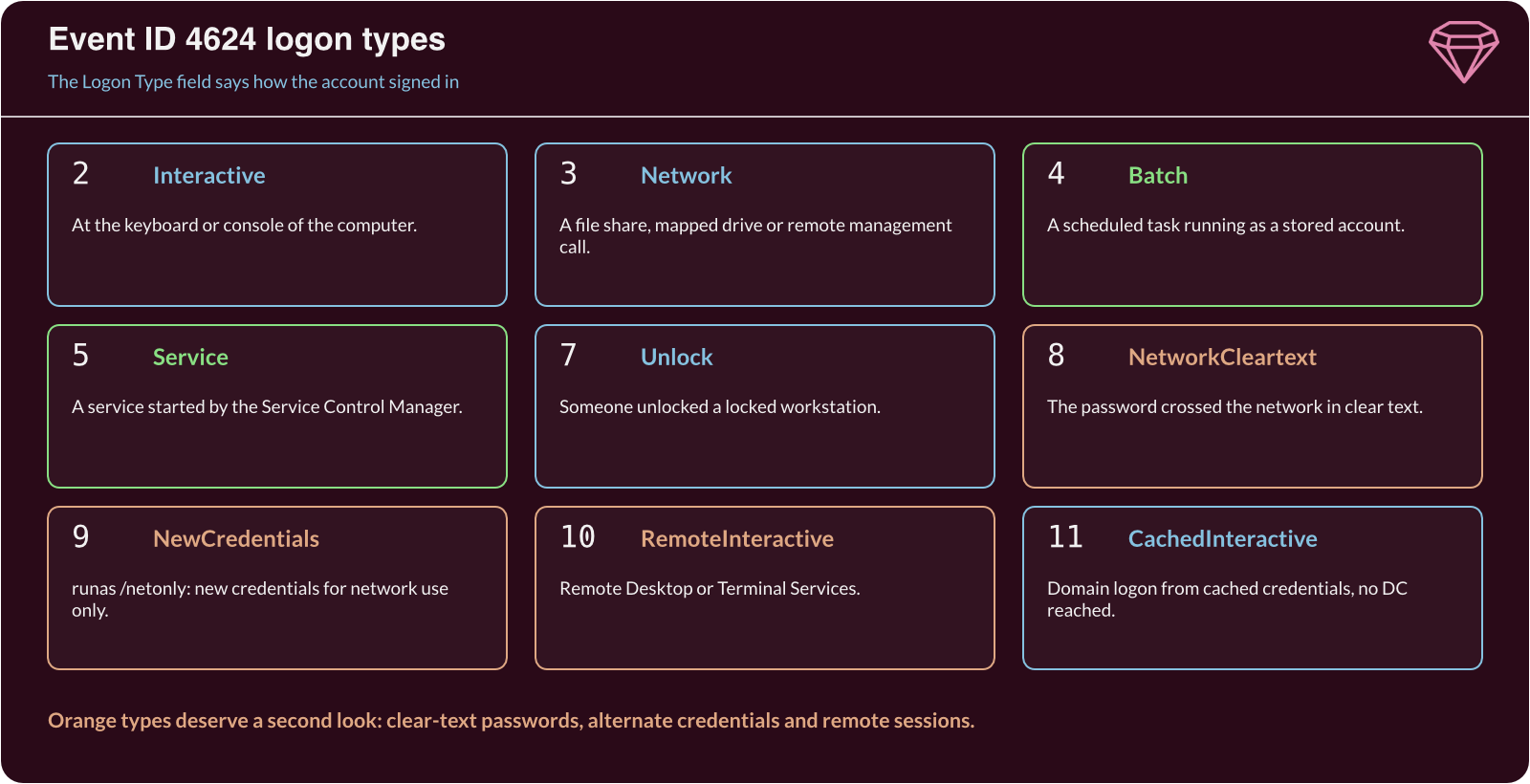
| Type | Name | What it usually means |
|---|---|---|
2 |
Interactive | A user signed in at the keyboard or console. |
3 |
Network | A file share, mapped drive or remote management call. |
4 |
Batch | A scheduled task ran as a stored account. |
5 |
Service | The Service Control Manager started a service. |
7 |
Unlock | A user unlocked a locked workstation. |
8 |
NetworkCleartext | The password reached the server in clear text. |
9 |
NewCredentials | A process used runas /netonly to act as another account on the network. |
10 |
RemoteInteractive | A Remote Desktop session. |
11 |
CachedInteractive | A domain user signed in with cached credentials, without reaching a domain controller. |
Types 12 and 13 also exist. They are the cached versions of Remote Desktop and unlock, and you see them far less often.
Type 3 is the noisiest. Every mapped drive, Group Policy refresh and management tool creates network logons, so a domain controller or file server writes thousands a day. Types 4 and 5 are also routine on servers, as long as the account and the task or service are ones you expect.
Pull 4624 events with PowerShell
Get-WinEvent with a filter hash table reads the Security log quickly, because Windows filters the events before PowerShell sees them. This example lists the last day of Remote Desktop and clear-text logons. Run it in an elevated PowerShell window:
$since = (Get-Date).AddHours(-24)
Get-WinEvent -FilterHashtable @{ LogName = 'Security'; Id = 4624; StartTime = $since } |
  ForEach-Object {
    $d = @{}
    ([xml]$_.ToXml()).Event.EventData.Data | ForEach-Object { $d[$_.Name] = $_.'#text' }
    [pscustomobject]@{
      Time      = $_.TimeCreated
      Account   = "$($d.TargetDomainName)\$($d.TargetUserName)"
      LogonType = [int]$d.LogonType
      Source    = $d.IpAddress
      Package   = $d.AuthenticationPackageName
    }
  } | Where-Object LogonType -in 8, 9, 10 | Format-Table -AutoSize
Time                Account            LogonType Source       Package
----                -------            --------- ------       -------
30/10/2026 08:02:11 EXAMPLE\j.smith           10 192.0.2.25   Negotiate
30/10/2026 03:17:45 EXAMPLE\svc-backup        10 203.0.113.77 Negotiate
30/10/2026 03:19:02 EXAMPLE\svc-backup         9 -            Negotiate
The script reads each field by its name from the event's XML, so it does not depend on the order of the fields. Change the list after -in to look at other types.
Here, the first line is a user working from an internal address during office hours. The second and third lines need investigating. A backup service account should not open a Remote Desktop session at 03:17, and it should certainly not do so from an external address. The type 9 logon two minutes later shows that something then used alternate credentials from that session.
If you only have Command Prompt, wevtutil reads the same log. This shows the five newest Remote Desktop logons:
wevtutil qe Security /q:"*[System[(EventID=4624)] and EventData[Data[@Name='LogonType']='10']]" /c:5 /rd:true /f:text
Patterns that point to a threat actor
A single 4624 event rarely proves anything. Look for these combinations instead:
- Remote Desktop from an unexpected source. Type 10 from an external address, or from a workstation that never normally connects to that server. ATT&CK lists this as Remote Desktop Protocol (T1021.001).
- A service account used interactively. Service accounts should produce types 4 and 5. Types 2 or 10 for a service account suggest someone is using its password by hand.
- Type 9 with the
seclogologon process. This is howrunas /netonlyappears, and it is also how some pass-the-hash tools appear. ATT&CK lists the technique as Pass the Hash (T1550.002). - Type 8 on any server. A clear-text logon means a password crossed the network unprotected, often through basic authentication on a web server.
- A success straight after many failures. A run of Event ID 4625 from one source followed by a 4624 from the same source suggests a guessed password. ATT&CK lists the use of stolen or guessed accounts as Valid Accounts (T1078).
When a logon looks wrong, follow its Logon ID. Event ID 4672 with the same Logon ID means the session received administrator-level privileges, and process creation events (Event ID 4688) with that Logon ID show what the session ran.
Security considerations
Logon events are only useful if you collect them and someone reads them. A threat actor who signs in with a valid account produces exactly the same 4624 event as the real user, so the clues are in the context: the time, the source, the account and the logon type.
To make that context visible:
- Collect centrally. Forward 4624, 4625 and 4672 events to a SIEM, so a pattern across many servers shows up as one story.
- Baseline normal logons. Record which accounts use Remote Desktop and from where, and alert on anything outside that list.
- Restrict service accounts. Deny them interactive and Remote Desktop logon rights in Group Policy, so a stolen service password cannot open a desktop.
- Remove clear-text logons. Turn off basic authentication where you can, or require HTTPS for it, so type 8 logons stop appearing.
Windows event logs are covered in depth in our Windows modules. Browse the GemForge Labs catalogue to see what is available.
Further reading
- Event 4624 – Microsoft's reference for every field and logon type.
- Event 4672 – The special privileges event that follows an administrator logon.
- Audit Logon – How to turn on logon auditing and what it records.
- Valid Accounts (T1078) – MITRE ATT&CK's description of threat actors using real accounts.
